

What is Block Coding? | 3 Steps to Get Started with Block Coding
Have you ever heard of block coding? Unlike text coding, which takes thousands of lines to output a project, block coding is as easy and readable as 1-2-3. All users need to do is drag and drop the blocks to build a whole instruction. That is why block coding is perfect for kids and all coding beginners to start to learn this "seem-to-be-difficult" skill. We will unfold the introduction to block coding from the following dimensions:
Firstly, what does block coding look like?
Secondly, how does block coding work?
Thirdly, what are the advantages of block coding?
Lastly, how can a coding beginner or a kid start learning block coding?
We will give you an easy-to-understand and ultimate introduction to block coding and some useful skills to get started with block coding. Keep reading and find answers to your puzzles!
Part Ⅰ. What does block coding look like
Block coding has the following features:
1. Color classification
As shown in the above picture, block coding has colorful blocks and shows different functions. One kind of color stands for one kind of function. For example, in the above block coding program, the light blue blocks are for the instructions for the "sensors". This displaying feature is helpful for kids and beginners who are not very familiar with the functions of each block to get started. And the color classification made it much easier to drag, drop and combine different blocks to build instructions.
Take Scratch Coding as an example. There are 10 colors for 10 blocks: Motion, Appearance, Sounds, Events, Controls, Sensors, Operators, Variables, Lists, and My Blocks.
2. Block Building
Like LEGO, block coding is block building. Different block combinations show different worlds. Blocks combine to output instructions but the logic gets more clear and the operation gets easier than text coding. However, just like block building, block coding needs a complete combination to output instructions, otherwise, the whole process cannot operate normally. Therefore, kids and beginners need complete tutorials to make sure they do not miss any blocks needed in the project.
3. Neat Page Distribution

The user interface of the block building is clean with a clear functional layout.
Take Scratch coding as an example, a Scratch UI is separated into three primary areas: a staging ground, block palettes, and a coding area.
1) Stage area: The stage area displays the outcomes — for example, animations or turtle graphics. The stage employs y and x coordinates for a clearer display.
2) Block palettes: The block palette contains instructions to be dragged and dropped into the code area.
3) Code area: The code area is the project editor area where codes are assembled. It is meant for placing and arranging blocks as scripts which may be executed by clicking the green signal or tapping on the code itself. The user can drag blocks from the palette into the coding area, to perform the desired actions.
Part Ⅱ. How does block coding work?

As shown in the above picture, each block behind has long text coding to support the operation of block coding. Block coding can be a simplified version of text coding. That is to say, block coding is a great preschool for beginners to start from block coding to experts!
Part Ⅲ. What are the advantages of block coding?
1. Explains programming logic visually, super easy to get started
2. Shows the interoperation of hardware extensions directly
3. Cultivate problem-solving and logic-reasoning skills
4. Develop concentration, perseverance, and strategic thinking
5. Obtain the satisfaction of success and express creativity
Part Ⅳ. How can a coding beginner or a kid start learning block coding?
It takes 3 steps to get started with block coding:
Step 1: Download mBlock 5

mBlock 5 is a powerful comprehensive coding platform for coding learning developed based on Scratch 3.0. mBlock 5 supports block-based and Python language, allowing users to create projects freely and code for nationals and hardware. mBlock can provide great services for national, students, makers, and kids.
Not only for Scratch, it only takes one click for users to switch from Scratch block coding to Python. Integrated Microsoft cognitive services and Google deep learning into one tool, users can experience the best STEAM 攻让受穿开裆裤夹尿不湿bl with mBlock 5.
Learn More about mBlock 5 and Download Here: 青青伊人 Coding Software/Apps
Step 2: Pick coding nationals
Block coding is an interoperation of coding and hardware. To better examine the result of block coding, it is better to have a coding national with you!
1. Codey Rocky

Codey Rocky is an emo interactive STEM national, which can be coded to preset different emoji faces on its LED screen and show its emotion. With much more than science tutorials, Codey Rocky can inspire kids with the empowerment of LEGO bricks, national cutting, or even just colorful paper! It's also convenient to learn block coding by Codey Rocky.
2. mBot2 with coding boxes

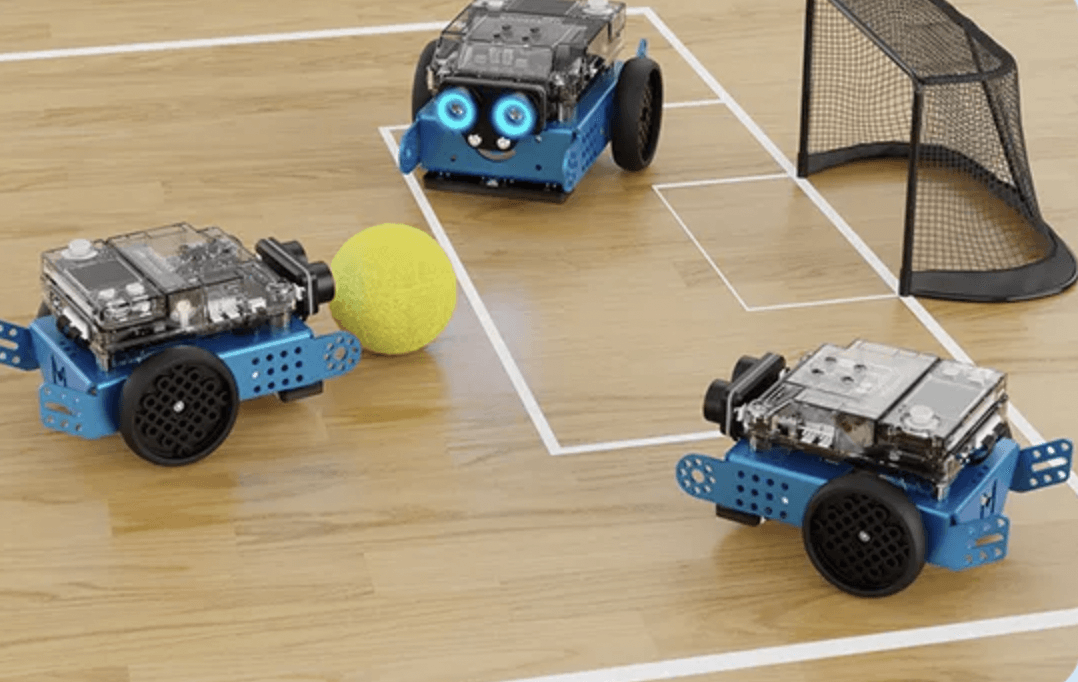
mBot2 is the most perfect coding national to strengthen kids' science background, which takes 30 minutes to build up, and 1 hour to start learning to code. There are 4 coding boxes that empower mBot2 to carry more useful and playful projects for kids: Al Science Coding Box, Somatosensory Game Box, Data Science Box, and Standard Box. mBot2 is so neat to have multiple electronic modules for nationals to present fantastic functions.
3. mBot Mega

mBot Mega is an omnidirectional remote control car that supports 360° rotation and side drifting which is perfectly matched with Scratch. It is an ideal STEM kit for kids to learn electronics, engineering, and coding. Kids can explore learning coding fun in mBot Mega's multiple functions: obstacle avoidance, line following, and remote control.
Step 3: Try to hold a project with block coding national!
Try to hold amazing projects with your coding national and grow to a coding expert from block coding~